
How do I set up the Open App Assistant?
In case you might be experiencing an issue with opening a particular app outside of directly tapping its icon, setting up the Open App Assistant to avoid this is quite straightforward.
How to set up the assistant
- Open Dumb Phone → Launcher Apps screen
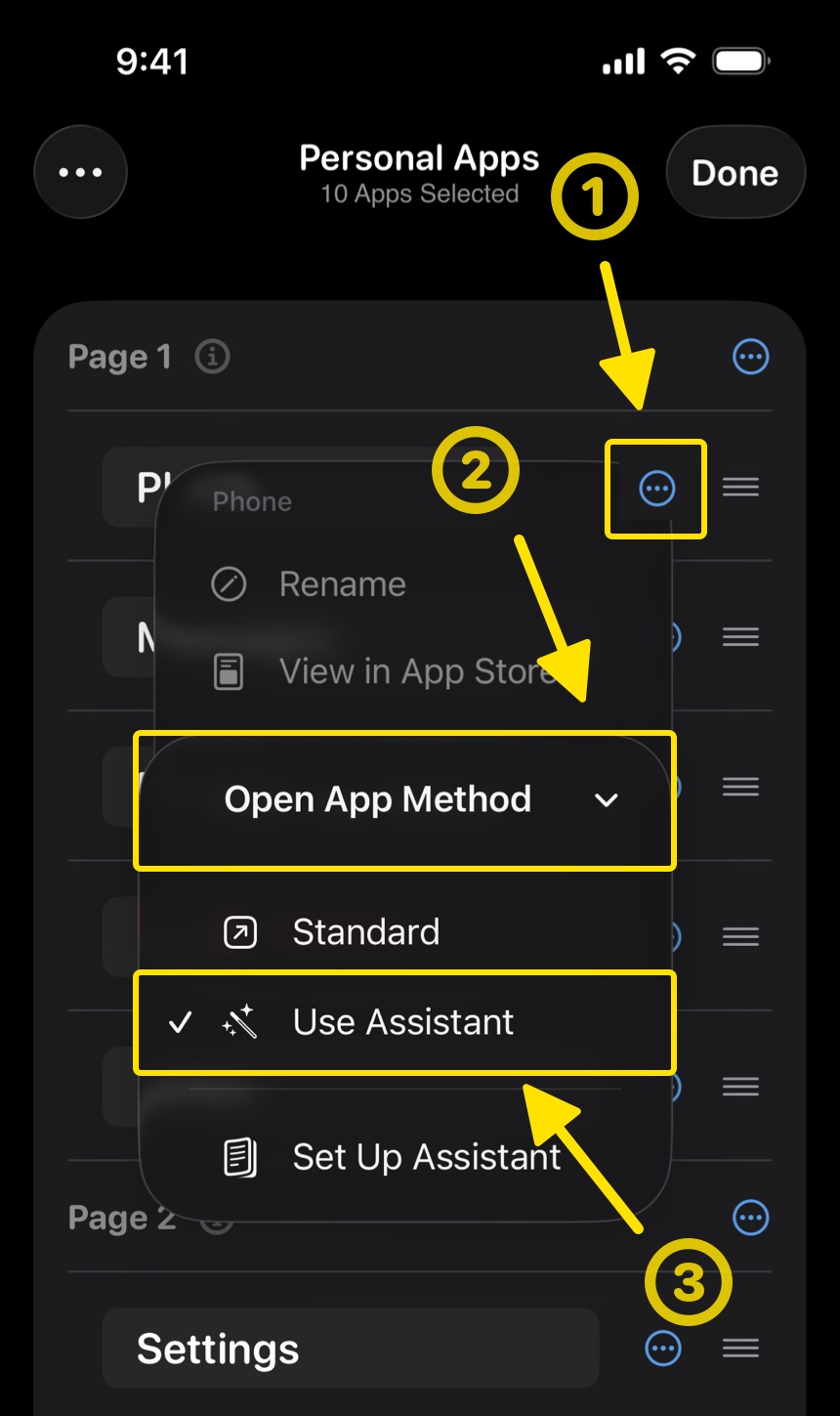
- Having already selected the affected app, tap the 3-dot menu button next to it
-
Tap Open App Method → Use Assistant
-
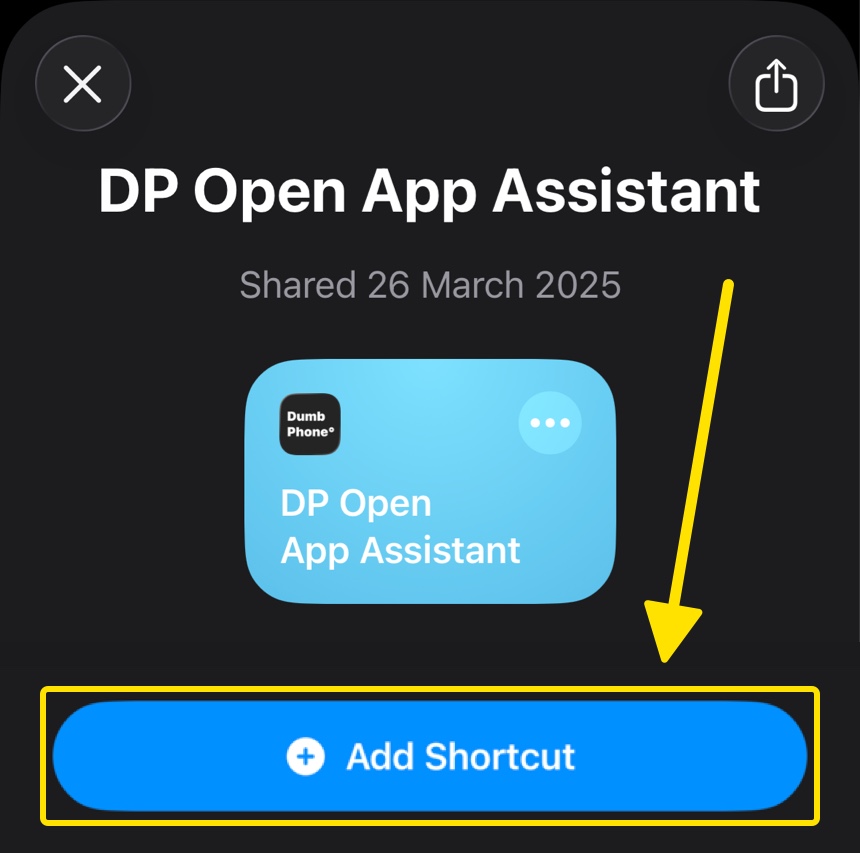
Follow the set up guide, save the assistant shortcut, and set up an automation for it
- Return to Dumb Phone and select "I have set up the Assistant"
💡 The assistant only needs to be set up once and can be linked with any app in the list.
How to link other apps
You can follow Step 2 again to switch any other selected app to be opened via the assistant, by selecting Use Assistant.
We highly recommend you use the assistant for key system apps such as; Phone, Camera, Clock, Calculator, and Voice Notes.