How can I remove / deselect apps from the list?
-
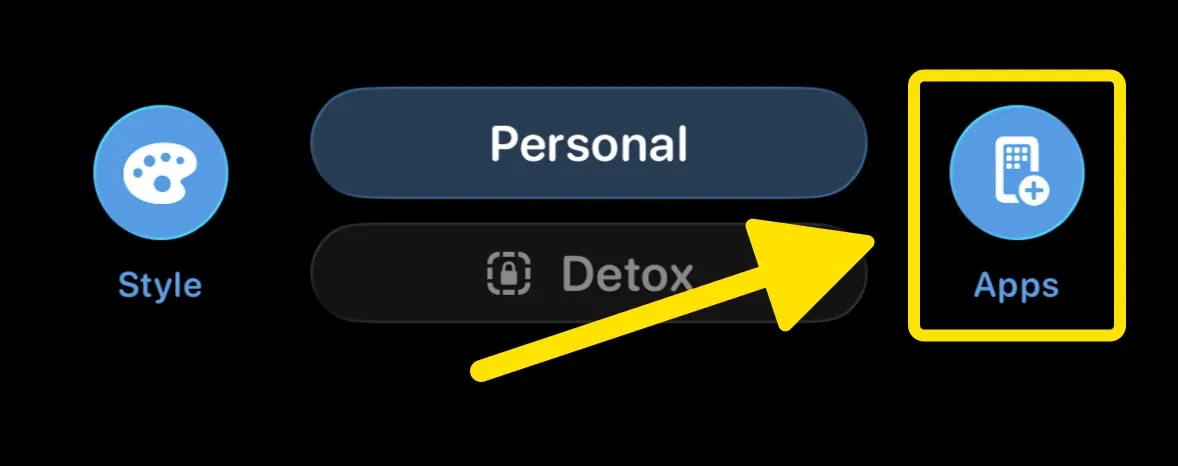
Tap the Apps button at the bottom to open the Launcher Apps screen
-
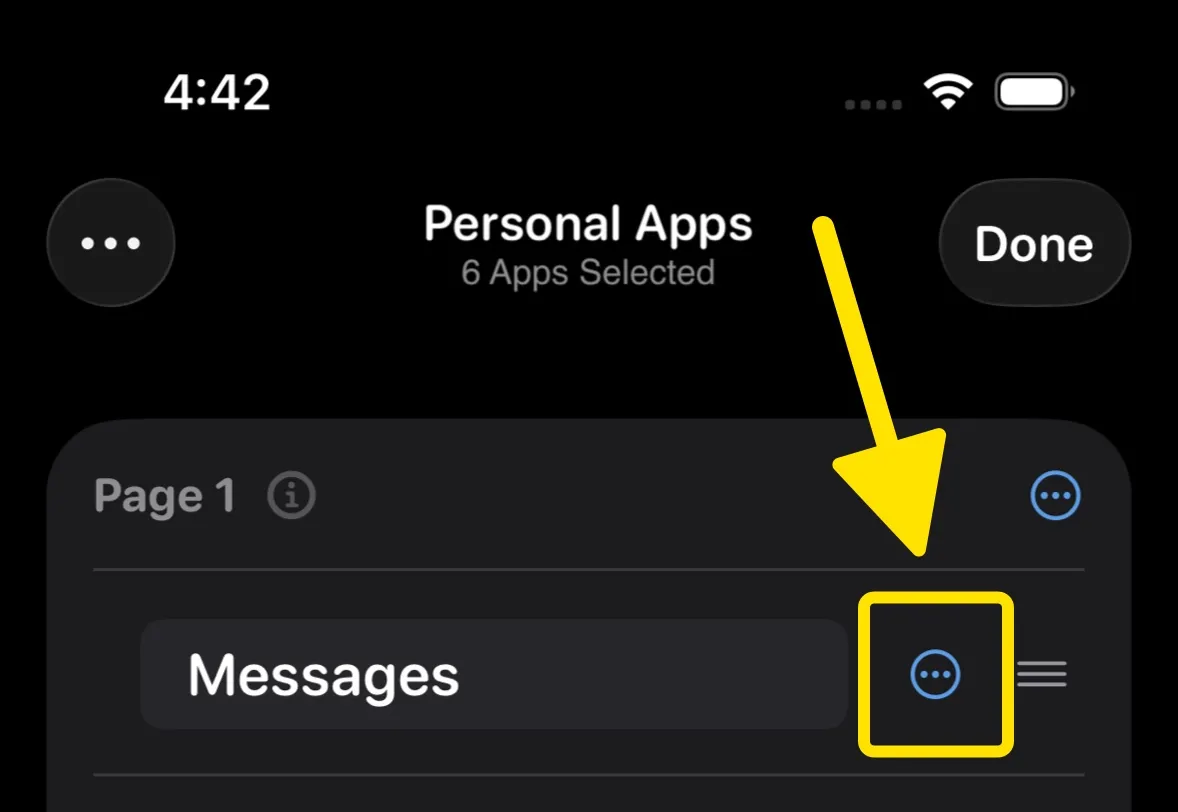
Next to the app’s name, tap the Menu button
-
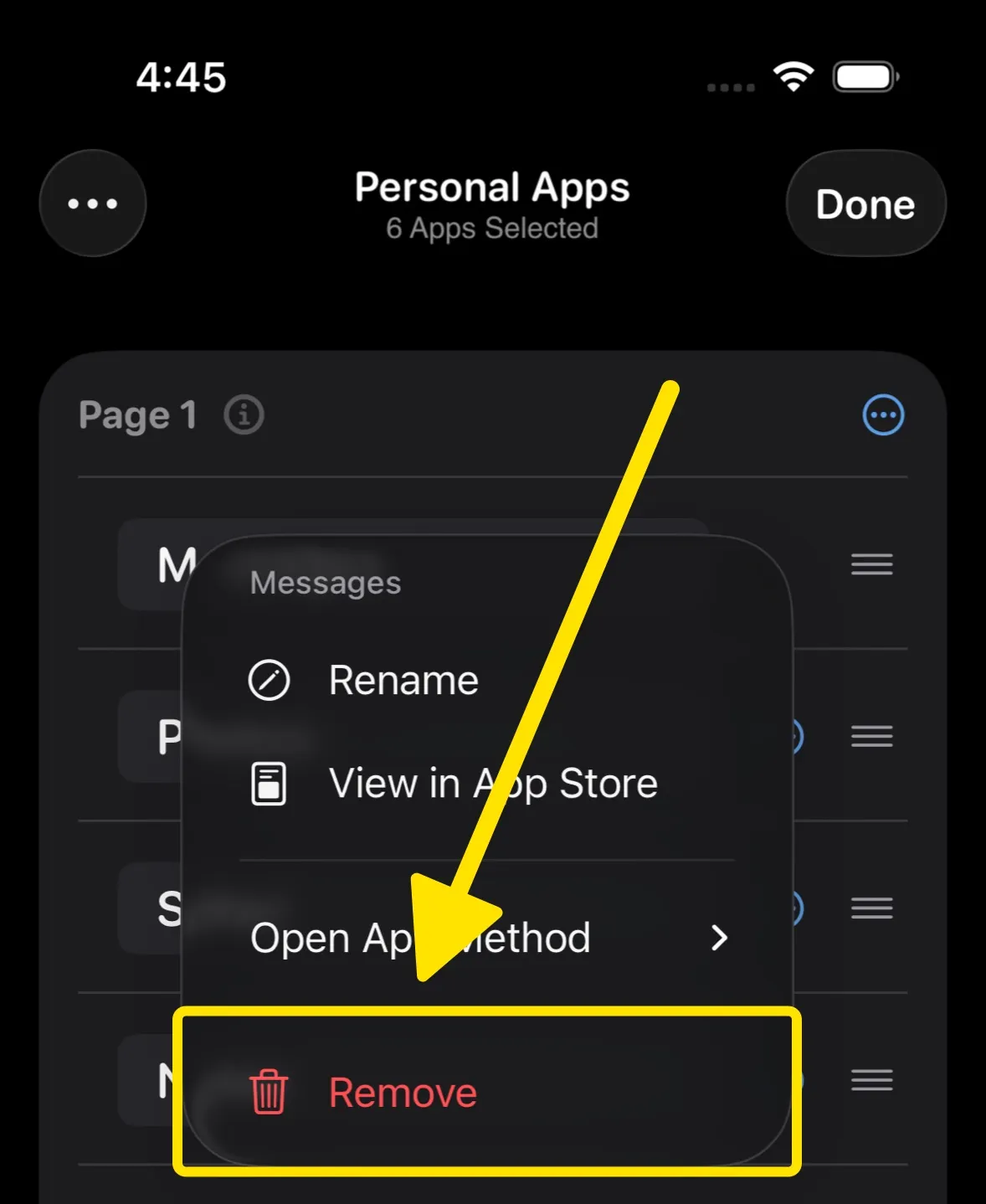
Tap Remove to remove the selected app from the list

Tap the Apps button at the bottom to open the Launcher Apps screen
Next to the app’s name, tap the Menu button
Tap Remove to remove the selected app from the list
