
How can I lock Dumb Phone's Screen Time access?
✅ This will disable the Screen Time loophole, by blocking Settings via Apple Shortcuts.
The following steps are required as it's not possible to block Shortcuts via the Screen Time app picker. This will ensure Detox Mode is always enforced when turned on.
How to block the Settings app while Detox Mode is active
- First, save the “DP Restrict Screen Time & Settings” shortcut
- Open the Apple Shortcuts app
- Create an App Open automation
-
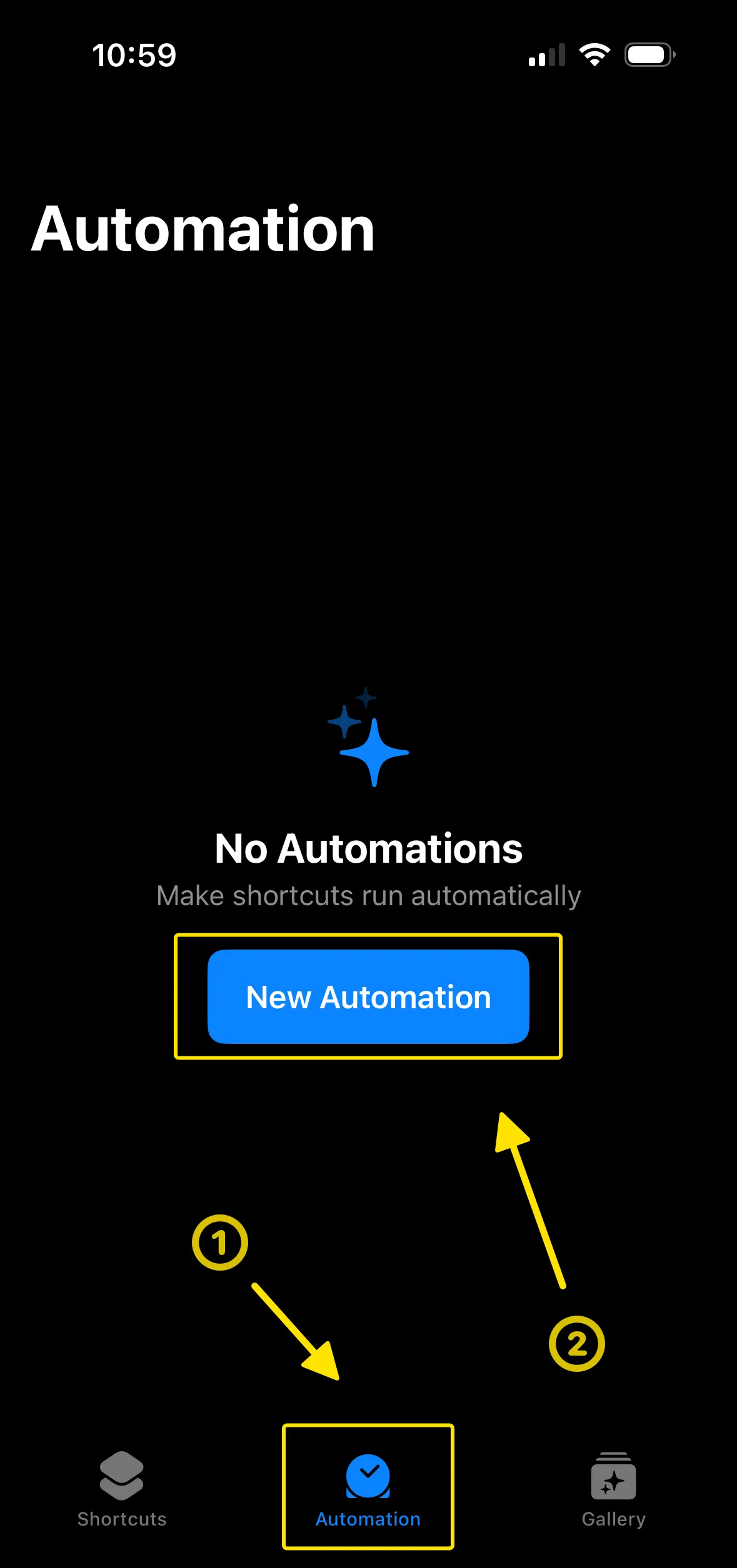
Select the Automation tab at the bottom → tap New Automation
-
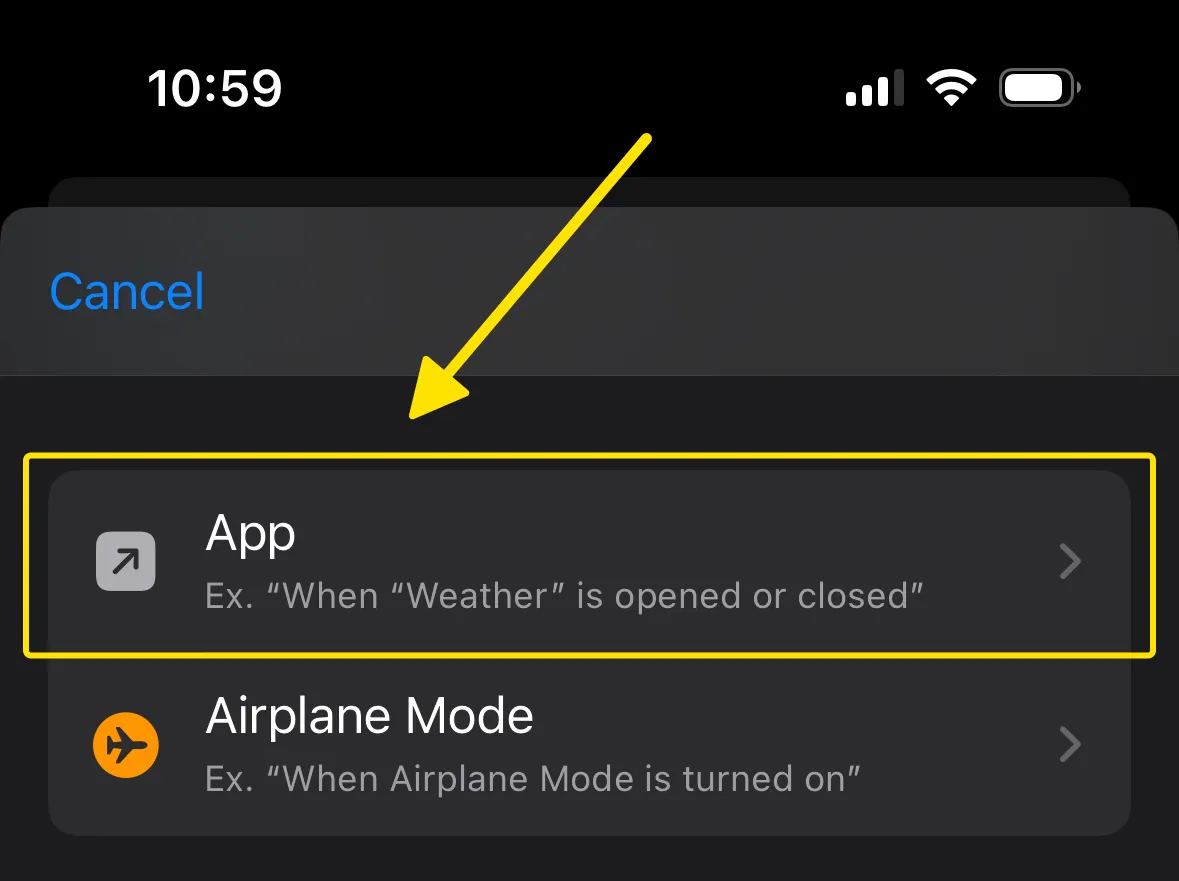
Select “App”
-
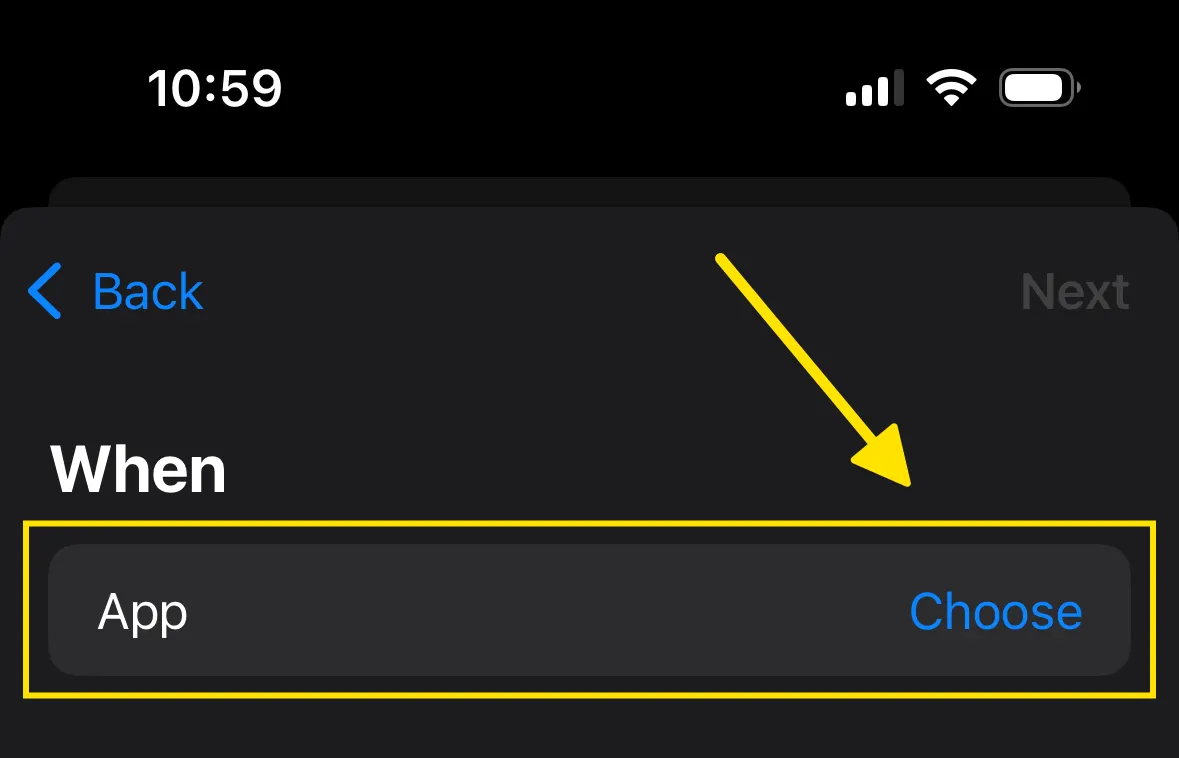
Tap "Choose" on the App row
-
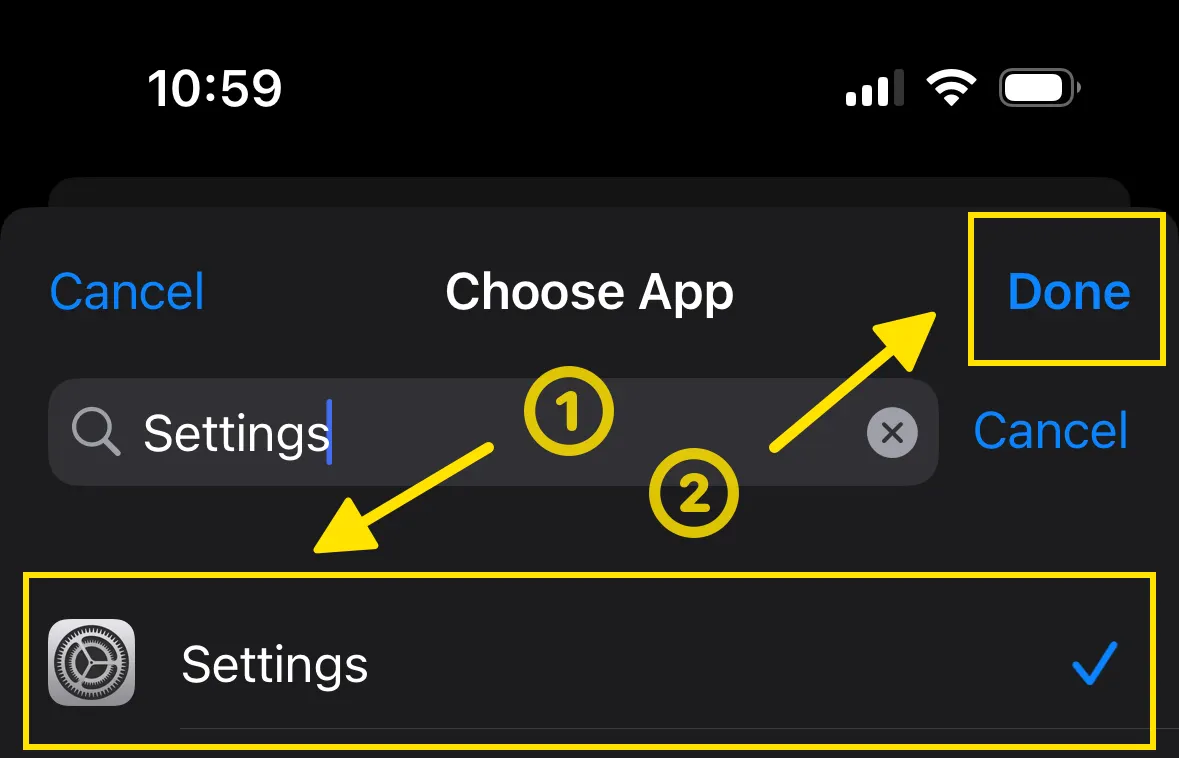
Select Settings → tap Done
-
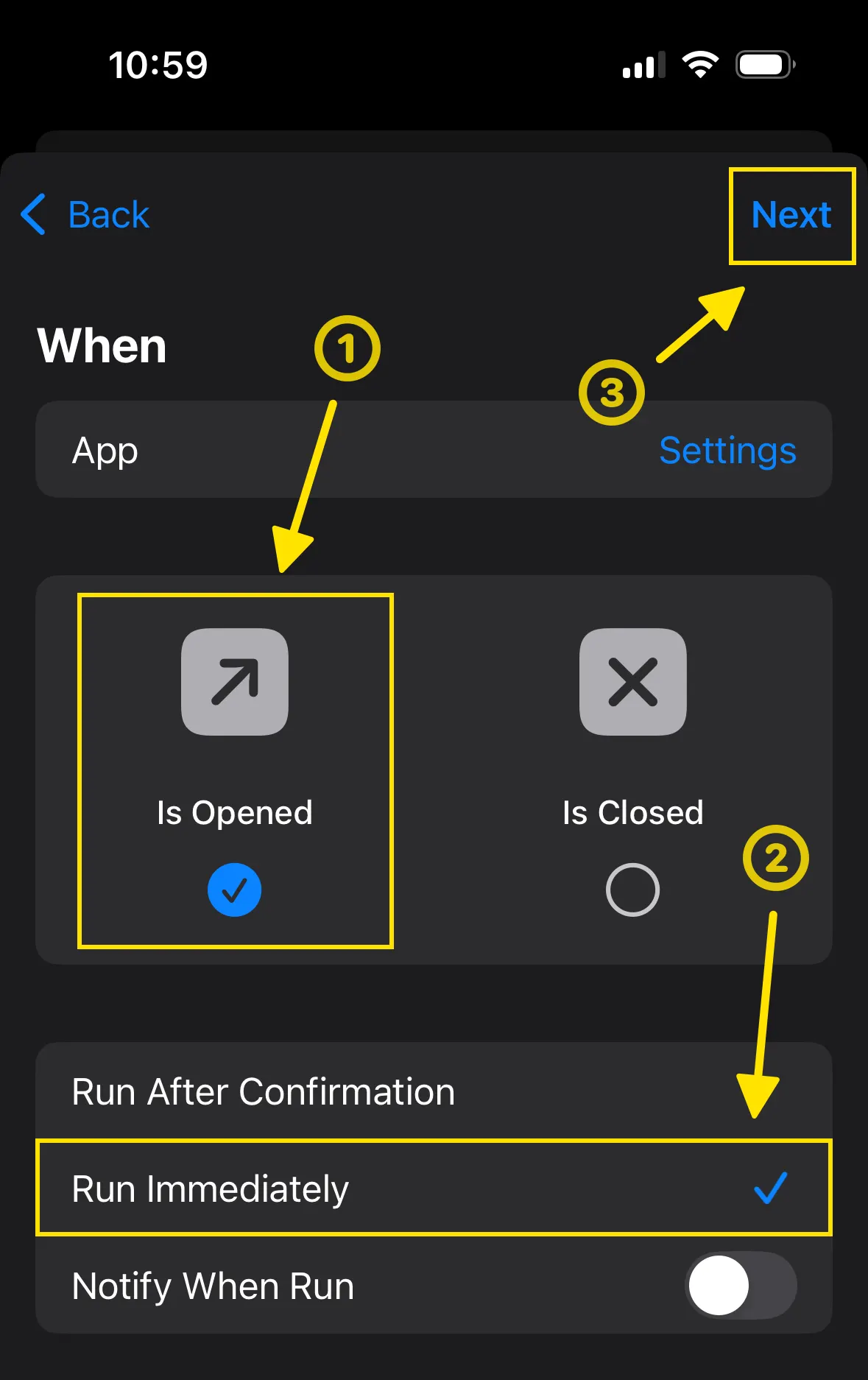
Select Is Opened and Run Immediately → tap Next
-
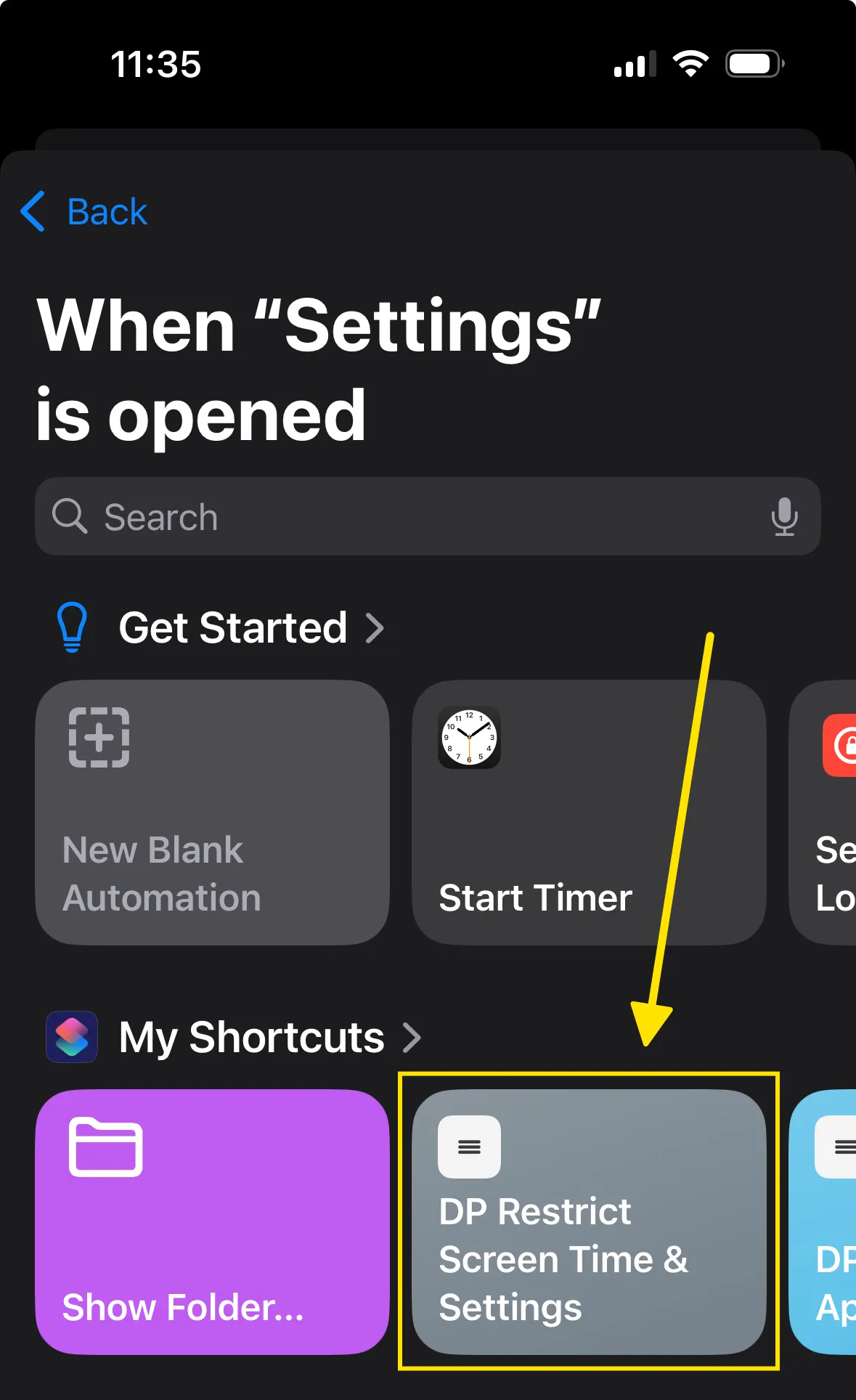
Under the My Shortcuts section, select the saved DP Restrict Screen Time & Settings shortcut
-
-
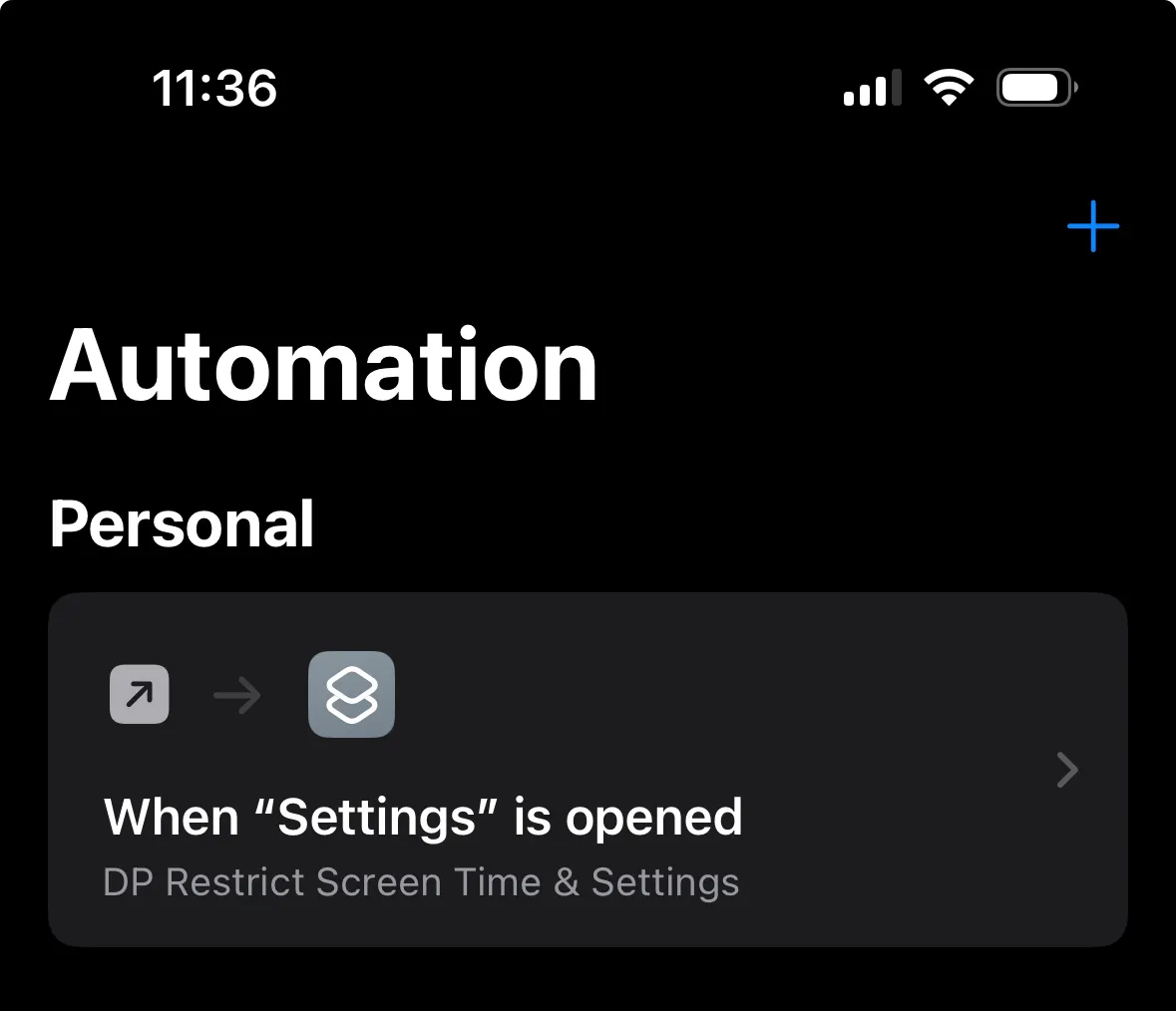
The automation has now been configured
How to block the Shortcuts app while Detox Mode is active
- Open Dumb Phone → Detox → Configure Detox Mode
-
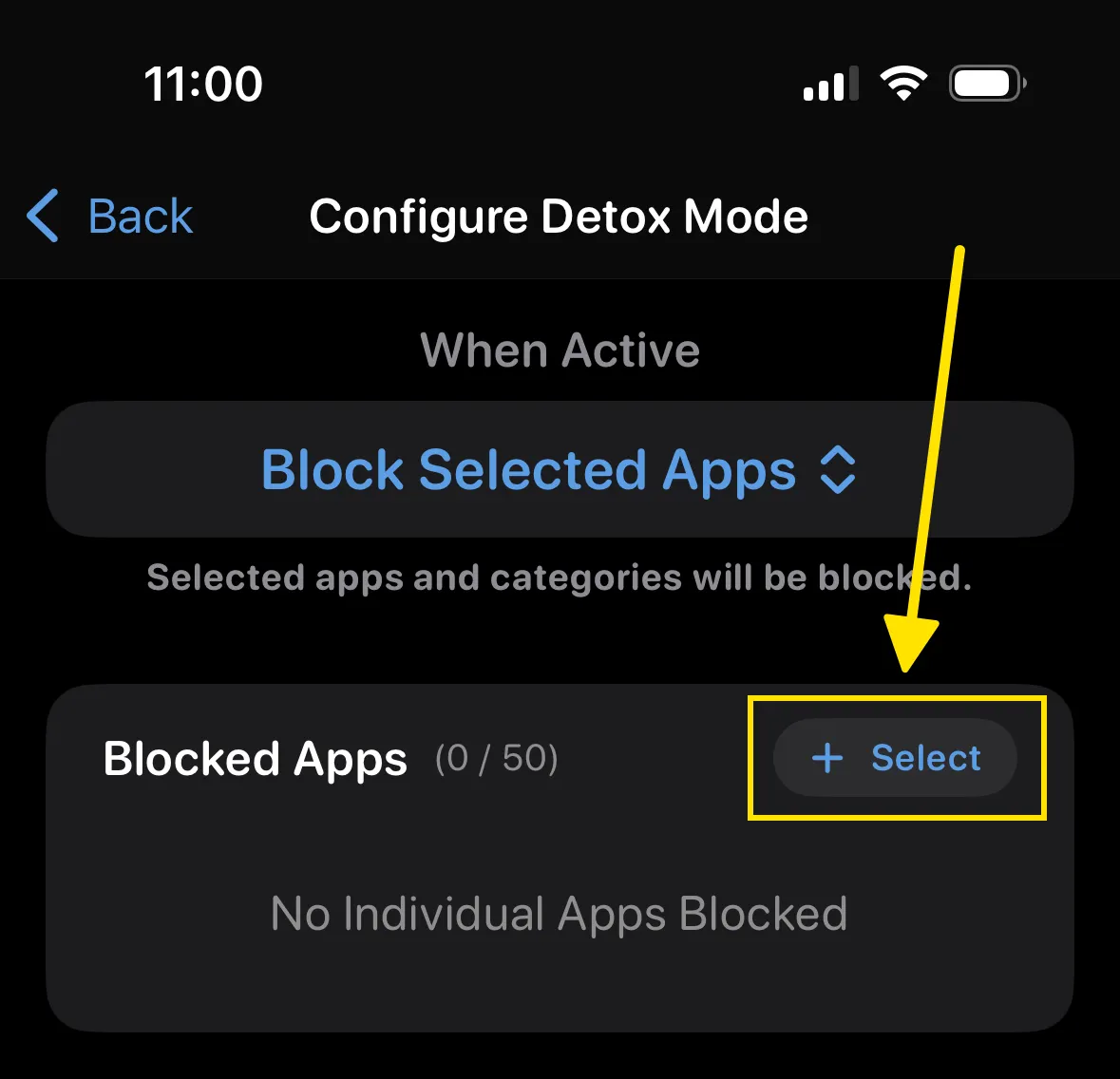
Under the Blocked Apps section, tap Select
-
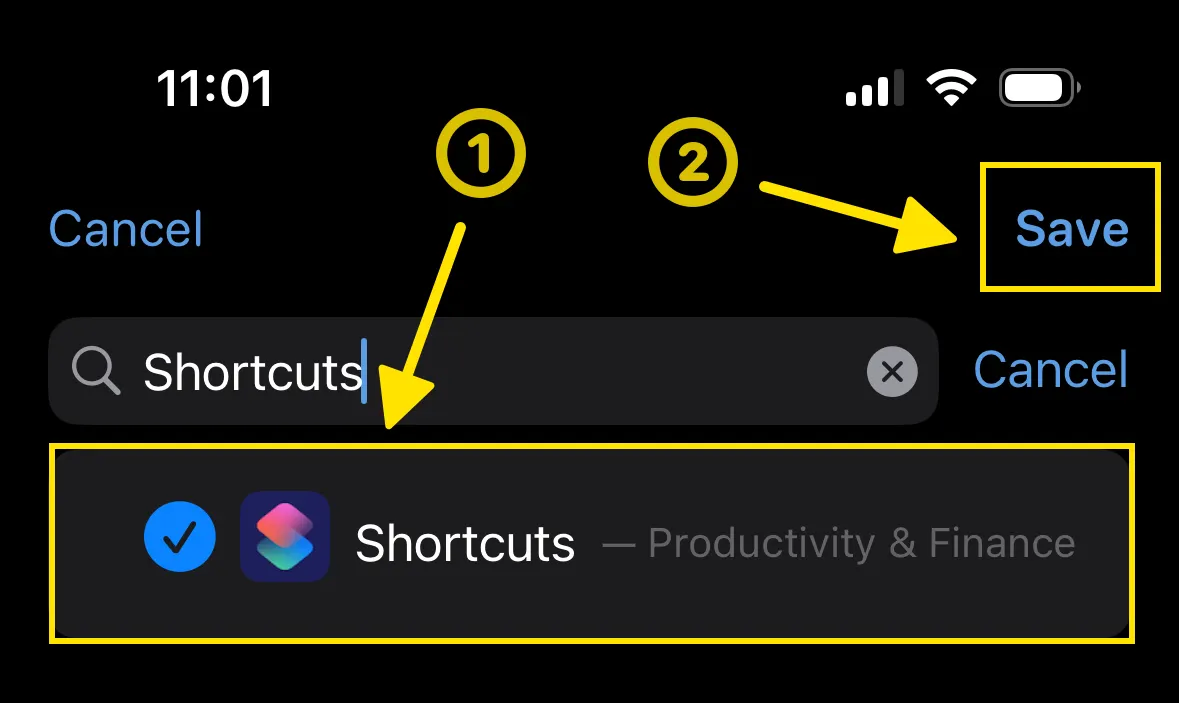
Select Shortcuts from the list of apps → tap Save
- Turn on Detox Mode to enforce blocking
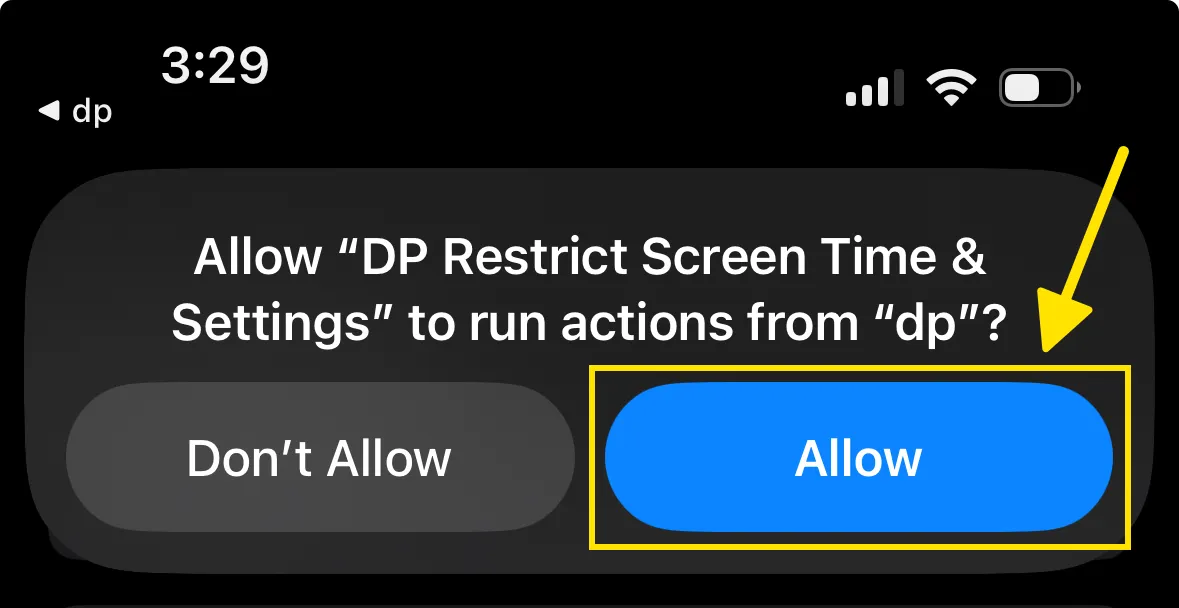
- Open the Settings app and tap the Allow button on the displayed popover
-
This only needs to be done once
-
